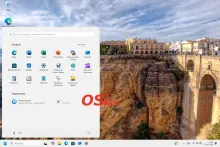
With the release of Windows 11 in 2021, one of the most criticized changes to the system was the relocation of the Start button to the center of the taskbar. Initially, there was nothing that could be done about this change. However, in later versions of the system, there is an option to restore the button to its classic location.
The following description is based on Windows 11 version 24H2.
To restore the classic icon layout on the taskbar, use the system Settings. To do this, click on the Start menu and select Settings from the available options.